Paper Clutter vs. Digital Clutter: Two Organizational Challenges, Two Different Solutions

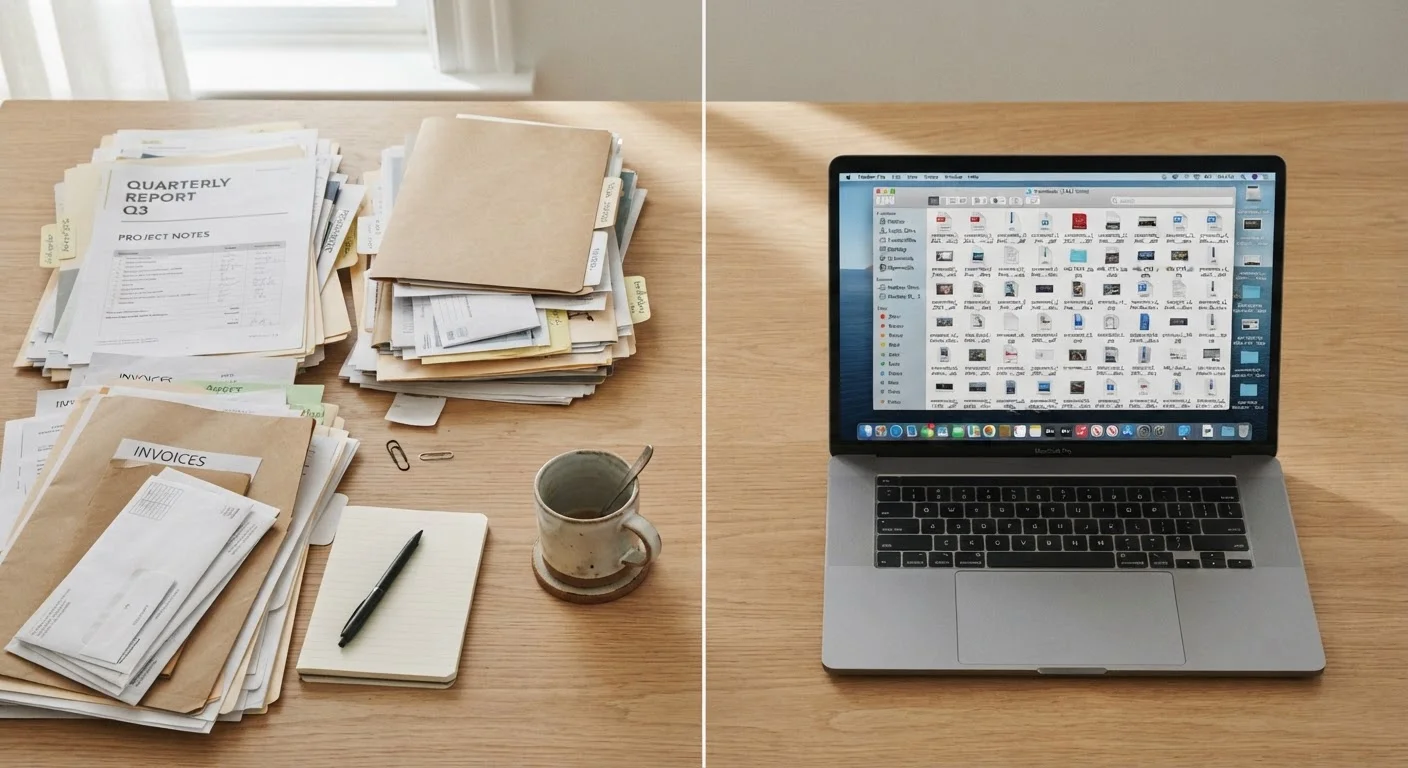
Key Takeaways
- Paper clutter requires physical filing systems, designated spaces, and a habit of regular purging.
- Digital clutter is less visible but equally disruptive, often hiding in inboxes, downloads folders, and cloud storage.
- Both types of clutter are best addressed with a capture-sort-purge routine tailored to each medium.
- Mixing strategies - scanning paper, printing digital - can create double clutter if done without intention.
- A hybrid approach works best for most households, keeping critical documents physical and routine files digital.
Our Verdict
Neither paper nor digital clutter is inherently harder to manage - but they each demand distinct strategies. Paper clutter benefits from physical sorting rituals and clear retention schedules, while digital clutter requires folder architecture, naming conventions, and periodic audits. The most organized households tend to use a deliberate hybrid system that assigns each type of document to its appropriate medium.
| Best for | Recommended |
|---|---|
| Those who prefer tactile, visual organization | Paper-based filing system |
| People managing large volumes of documents across multiple devices | Digital organization with cloud backup |
| Households balancing legal records, finances, and daily paperwork | Hybrid approach |
| Anyone starting from scratch with no existing system | Digital-first with selective paper retention |
Why Paper and Digital Clutter Are Different Problems
Paper clutter is visible and physical - it accumulates on counters, in junk drawers, and across desks in a way you can't ignore. Digital clutter is quieter. It hides in folders named "New Folder (2)," bloated email inboxes, and screenshot galleries that stretch back years. Both create friction when you need to find something quickly, and both are linked to elevated stress. For a deeper look at that cognitive load, see The Psychology Behind Why Clutter Feels So Overwhelming.
The key difference is consequence. A missed bill buried in paper clutter has a tangible deadline attached. A lost digital file might mean hours of searching or a permanently deleted document. Understanding how each type accumulates is the first step toward managing it.
| Paper Clutter | Digital Clutter | |
|---|---|---|
| Visibility | Physically visible; hard to ignore | Hidden in folders; easy to overlook |
| Primary entry points | Mail, receipts, printed forms | Downloads, email, screenshots, cloud sync |
| Core organizational tool | Labeled folders, binders, inbox tray | Folder hierarchy, file naming conventions |
| Maintenance frequency | Weekly triage recommended | Monthly audit recommended |
| Biggest risk | Lost or buried time-sensitive documents | Unsearchable files, duplicate versions |
| Disaster recovery | Vulnerable to fire, flood, or loss | Backed up in cloud; recoverable |
| Space required | Physical storage space needed | Minimal physical space; storage is virtual |
Tackling Paper Clutter: A System That Sticks
Paper clutter typically enters a home through mail, school communications, receipts, and printed forms. Without a defined landing zone, it migrates to every flat surface. An effective paper system has three components: an inbox, an action folder, and a file.
- The inbox: One physical tray where all incoming paper lands - nothing else. Process it weekly.
- The action folder: Bills to pay, forms to sign, appointments to schedule. These stay out until acted upon, then move to filing or recycling.
- Long-term filing: Use labeled folders or binders for tax records, insurance documents, warranties, and medical records. The IRS generally recommends keeping tax returns and supporting documents for at least three years, though some situations warrant longer retention - verify with a tax professional for your circumstances.
Shred sensitive documents before disposal, and build a habit of immediate triage: recycle junk mail before it enters the home. If you're building a system from the ground up, the foundational steps in this decluttering guide can help you establish the right mindset first.
Build a "Maybe" Box for Paper Transitions
If you're uncertain whether to scan or shred a document, place it in a dated "maybe" box. Set a 90-day review. If you never needed it in that window, shred it. This removes the decision paralysis that causes paper to pile up indefinitely.
Managing Digital Clutter: Structure Over Speed
Digital organization fails most often because files are saved quickly without a naming convention or folder hierarchy. A sustainable system requires intentional architecture before the clutter accumulates.
Start with a simple top-level folder structure - for example: Finance, Home, Health, Work, and Archive. Within each, use year-based subfolders. Name files descriptively: 2024-04_TaxReturn_Federal.pdf is far more retrievable than scan001.pdf.
For email, apply the same logic. Use labels or folders, unsubscribe aggressively, and treat your inbox as an action list - not a storage drawer. Set a recurring 15-minute monthly calendar block to audit your downloads folder and desktop.
Cloud backup is a genuine advantage of digital organization, but it introduces its own clutter risk. Synced duplicates, multiple versions of the same document, and forgotten shared drives all consume storage and cognitive bandwidth. Audit cloud accounts at least twice a year.
Don't Let Scanning Create a New Problem
Scanning physical documents without immediately deleting the physical originals (where appropriate) or organizing the digital files creates parallel clutter in both worlds. Before you scan a batch of documents, decide exactly where each file will live digitally and whether the paper original needs to be retained. Scanning without a system is just moving the problem.
The Hybrid Approach: Knowing What Belongs Where
For most households, the answer isn't purely paper or purely digital - it's a deliberate split. Certain documents belong in physical form: original legal documents (wills, property deeds), passports, Social Security cards, and insurance cards often need to be presented as originals. Keep these in a fireproof box or safe.
Routine paperwork - utility statements, medical explanations of benefits, bank statements - can almost always be managed digitally if your providers offer electronic delivery. Opting into paperless billing removes an entire category of incoming paper clutter.
Where households get into trouble is scanning everything without deleting the originals, or printing digital documents "just in case." That creates double clutter. Be intentional: decide the medium before you save. If your household has multiple people with different organizational habits, the strategies in Shared Spaces, Different Standards can help you align on a shared system.
Avoid the myth that buying more storage - physical binders or more cloud space - solves a clutter problem. As explored in Home Organization Myths, more containers don't create more order without a decision-making system behind them.