

Key Takeaways
- Automating transfers removes the need for willpower by moving money before you can spend it.
- Timing your transfer to coincide with your paycheck deposit is the single most effective setup choice.
- Even a small fixed amount automated consistently outperforms a larger amount that is only sometimes transferred.
- Separate accounts for separate goals prevent you from mentally spending money already earmarked.
- Review and adjust your automation every three to six months as your income and expenses change.
What you will need
Why Automation Outperforms Good Intentions
Willpower is a finite resource. Behavioral economics research consistently shows that people who rely on self-discipline alone to save tend to under-save, not because they lack motivation but because spending decisions accumulate throughout the day and decision fatigue erodes resolve. The psychology behind why saving intentions break down illustrates exactly how this gap between intention and action forms — and why structural solutions outperform motivational ones.
Automatic transfers sidestep the problem entirely. When money moves to a savings account on the same day your paycheck lands, you never face the choice of whether to save it. The decision is made once, in a calm planning session, and then executes itself. This is the core logic of paying yourself first: treat savings as a non-negotiable bill due on payday, not as whatever survives the month.
It also helps to dispel some persistent myths — for instance, the belief that you need a larger income before automation is worth setting up. Common saving myths that keep people stuck often center on waiting for perfect conditions that never arrive. A $50 automated transfer started today builds both a balance and a habit that a larger future transfer never will.
Use Account Nicknames to Reinforce Goals
Most banks and credit unions let you rename savings accounts in their app. Labeling an account 'Emergency Fund' or 'Car Fund' instead of 'Savings 2' makes it psychologically harder to raid. Research in behavioral economics consistently shows that mentally accounting for money as already spent on a specific goal reduces the impulse to redirect it.
What You Need Before You Start
Setting up automation takes less than 30 minutes once you have the right accounts and information ready. Here is what to have on hand before you begin.
What you will need
If your only savings account is attached to your primary checking account at the same bank, consider opening a separate high-yield savings account first. The slight inconvenience of an inter-bank transfer adds useful friction when you are tempted to move money back. A fully funded emergency fund is one of the clearest first automation targets — having three to six months of essential expenses in a liquid, separate account provides a foundation that makes all other financial decisions more stable.
Bank or Credit Union Online Portal
Used to schedule recurring transfers between your checking and savings accounts.
Employer Direct Deposit Split
Splits your paycheck so a fixed dollar amount or percentage routes directly to savings before hitting checking.
Spreadsheet or Budgeting App
Helps you calculate a realistic transfer amount by mapping income against fixed and variable expenses.
Step-by-Step: Setting Up Your Automatic Transfer
Follow these steps in order. The process is straightforward at most US banks and credit unions, though the exact menu labels will vary by institution.
Calculate a realistic, sustainable transfer amount
Before touching any app or banking portal, do a quick income-minus-essentials calculation. List your monthly take-home pay, then subtract fixed obligations: rent or mortgage, utilities, insurance, minimum debt payments, and subscriptions. What remains is your discretionary pool. A commonly cited starting benchmark is saving 20% of net income, but that figure is a goal, not a rule — even 5% automated consistently builds real momentum. Choose an amount that leaves your checking account comfortably funded through the next pay cycle.
If you are uncertain, the pay-yourself-first philosophy explains why committing a fixed savings amount upfront — rather than saving whatever happens to be left over — produces stronger long-term results.
Identify the right destination account
Decide where the money is going before you schedule anything. A high-yield savings account at a separate institution creates a small but effective friction barrier — transferring money back requires an extra day or two, which is often enough to prevent impulse withdrawals. If you have multiple goals — an emergency fund, a vacation, a car repair fund — consider separate sub-accounts or buckets for each. Many online banks allow multiple savings accounts under a single login at no additional cost.
For predictable future expenses like annual insurance premiums or holiday spending, sinking funds pair naturally with automated transfers to keep those costs from catching you off guard.
Time your transfer to your paycheck
Log into your bank's online portal and schedule a recurring transfer for the day your direct deposit lands — or the following business day if same-day processing is not guaranteed. This timing is critical: money that moves to savings before you see it in your available balance is money you are far less likely to spend. If your employer supports direct deposit splitting, use that option to route savings directly at the payroll source, bypassing your checking account entirely.
Activate the recurring transfer
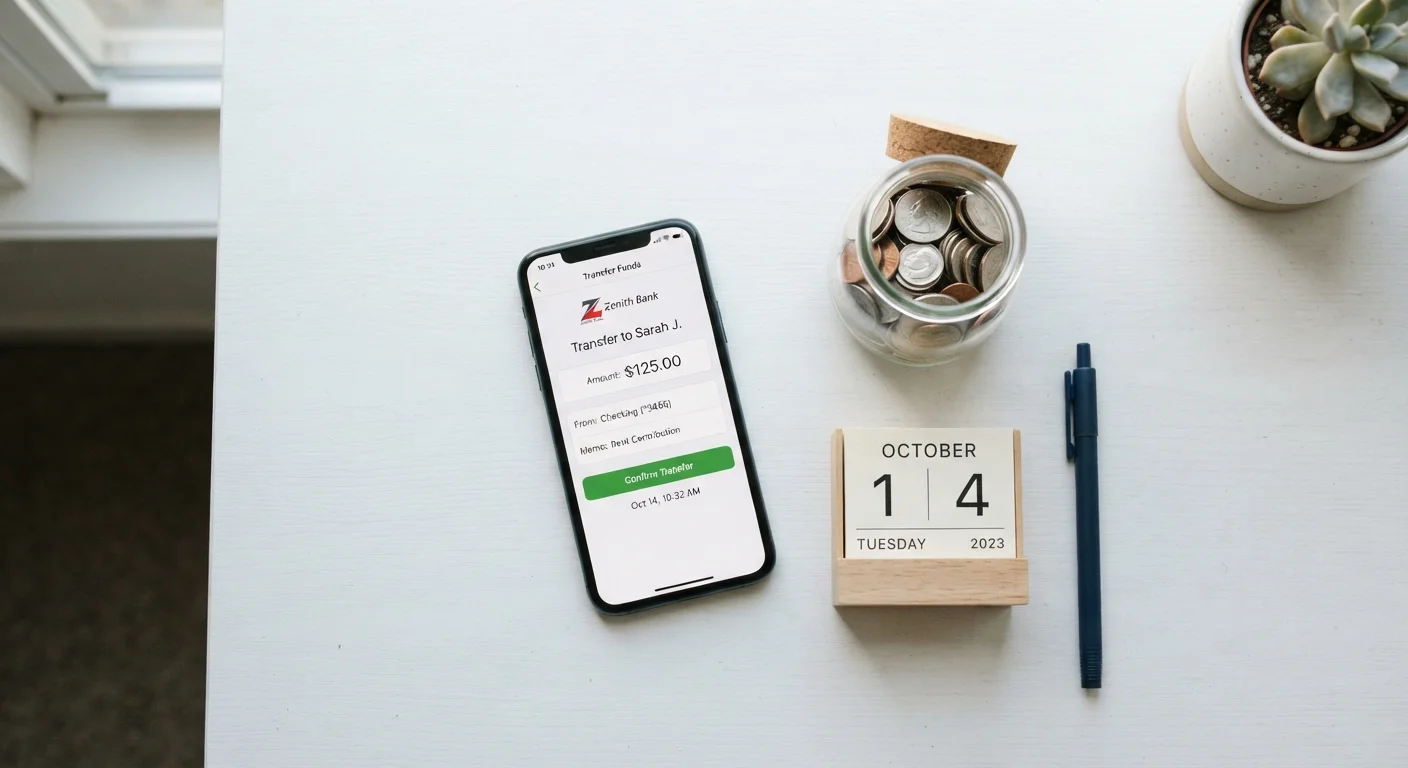
In your bank's transfer or payments section, select the source account (checking), the destination account (savings), the fixed dollar amount, and the start date. Confirm the recurrence — weekly, biweekly, or monthly. Save and verify the confirmation. Take a screenshot or note the transfer ID; this makes troubleshooting easier if a transfer is delayed or fails due to a processing issue.
[warning_callout]Monitor for the first two pay cycles
After setting up the automation, watch the first two transfers closely. Confirm the amount cleared, no overdraft was triggered, and your checking balance remained workable. This short observation window lets you catch timing conflicts or underestimated expenses before they become a habit of failed transfers. If the amount causes strain, reduce it slightly rather than canceling the automation entirely — continuity matters more than the size.
Review and increase every three to six months
Automation is not a set-it-and-forget-it system in perpetuity. When you get a raise, pay off a debt, or reduce an expense, immediately redirect a portion of that freed cash to increase your transfer amount. A recurring calendar reminder every quarter keeps this review from slipping. Over time, incremental increases — even $25 at a time — compound into a meaningfully larger savings balance. Once your emergency fund is fully established, this same mechanism can point toward investing basics and longer-range financial goals.
Don't Automate Before Checking Your Buffer
Setting a transfer amount that leaves your checking account too thin can trigger overdraft fees, which cost more than you save. Before activating any automatic transfer, confirm that your account holds enough to cover all scheduled bills and typical daily spending between paydays. Start smaller than you think you need to — you can always increase the amount once the cadence feels comfortable.
Troubleshooting Common Automation Problems
Even well-designed automations run into occasional issues. Here are the most frequent problems and how to resolve them:
- Transfer fails due to insufficient funds: Reduce the transfer amount or shift the transfer date to one business day after your deposit typically clears, rather than the exact deposit date.
- You keep manually moving money back: This is a signal that either the amount is too high or the destination account is too easy to access. Lower the amount and consider moving savings to a bank with a longer transfer window.
- Income is irregular or freelance: Set a minimum baseline transfer — even $25 — that runs every pay period regardless of income. On higher-income months, add a manual top-up. Consistent small transfers preserve the habit during lean stretches.
- Employer does not offer direct deposit splits: Use your bank's scheduled transfer tool instead, set to fire the morning after your typical pay date. It is a reliable second option in most cases.
Managing debt obligations alongside savings automation requires careful sequencing. The Debt & Credit hub provides structured guidance on prioritizing high-interest debt payoff without abandoning savings progress entirely.
This article is for general informational and educational purposes only and does not constitute personalized financial advice. Consult a qualified financial professional for guidance specific to your situation.